
On this page
Confirm the cargo is ready for collection before releasing the truck. The warehouse should verify that the agreed load is packed, counted and available for the booked slot. Ask who will load it and who can approve a change if only part of the consignment is ready.
Confirm cargo ready for collection with the loading team
Ask the warehouse to confirm the physical count, packed dimensions and gross weights against the brief. Check whether the forklift and its operator will be available at the booked time. Give dispatch the booking reference and the name of the person who confirmed release.
Worked example: eight of ten pallets are ready
A Germiston warehouse has eight pallets staged for a Pretoria delivery. Two will be ready at noon, after the truck’s 10:00 slot. Before dispatch, ask the customer whether to wait, rebook or send eight. Check with the receiver that a partial delivery is useful and ask the carrier what a second trip would cost. If eight go first, issue a revised dispatch count and keep the other two on a separate movement record.

Recheck cargo ready for collection after a change
Send dispatch one confirmed instruction. If the count, weight or packaging changes, ask the carrier to recheck equipment fit before release. Include the confirmed quantities and loading arrangements when you share a freight brief with Synesys.
Decide whether to wait, rebook or send a partial load
In the Germiston example, waiting until noon would hold the vehicle for two hours. At an illustrative R350 per hour with no free allowance, that would add R700. A separate trip for the outstanding two pallets could cost more, but may still make sense if the receiver needs the first eight urgently. Ask the carrier for the revised prices and check the receiving cutoff before presenting the choices to the customer.
Mark cargo ready for collection against the physical count
Ask the warehouse to identify each pallet against the job reference. For a partial release, record which eight pallet IDs leave and which two remain. Give the receiver the same list so they can count the delivery without treating the outstanding pallets as a shortage. If the carrier substitutes equipment, confirm the loading method and the final dimensions again.
“An EPCIS event records what was involved in a business process step, when the event took place, where it took place”
Record the pallet IDs, loading site, time and release decision together. If a label was changed during packing, link the old and new IDs before dispatch sends the revised count. Give the next shift one confirmed instruction with the customer’s approval and the remaining collection plan.
Reconcile what leaves the warehouse
Before the forklift starts loading, give the driver a list that identifies the pallets for this trip. Ask the loading lead and driver to reconcile the loaded count against that list before signing. If one pallet is damaged during loading, mark it held, record who inspected it and update the release message. Tell the receiver the new count and whether the delivery time changes. Keep the original instruction with the revised record so accounts can see why the quantities differ.
Set a release deadline before marking cargo ready for collection
Work backward from the receiver’s last check-in. If the receiver closes at 15:00, travel takes two hours, and check-in needs 15 minutes, the truck must leave by 12:45. If loading takes 30 minutes, start by 12:15. In the Germiston example, pallets ready at noon could still fit that schedule if the carrier and warehouse confirm the later loading slot. A later forklift slot or a longer travel estimate could change the decision.

When cargo is ready for collection but the original slot has expired, have the warehouse confirm the next available loading time before telling the carrier to proceed. Record whether the customer chose to wait, rebook or split the job and who approved any additional cost. For a split, leave the second movement open until the remaining pallet IDs and receiving slot are confirmed.
Before dispatch closes the release check, ask the warehouse to send the confirmed pallet list with the job reference and the latest loading slot. If the carrier is already en route, tell the driver whether to proceed or wait for an updated instruction at an agreed safe location.
Further reading Kweli’s freight dispatch handover checklist.
Related Synesys guide Truck dispatch sheet template for small fleets.
Cargo ready for collection checklist
Have the shipper count and label units after packing, confirm the final dimensions and move the freight to the agreed staging area. Send dispatch the release time and exception contact.
Worked example
At 07:45, eight of ten pallets are staged and two still need wrapping. If the truck is due at 08:00, agree whether the complete load can be released on time or whether to rebook before the driver arrives.
When designing shared job records, capture what happened, the time and location, and the business context. See the GS1 EPCIS visibility standard.
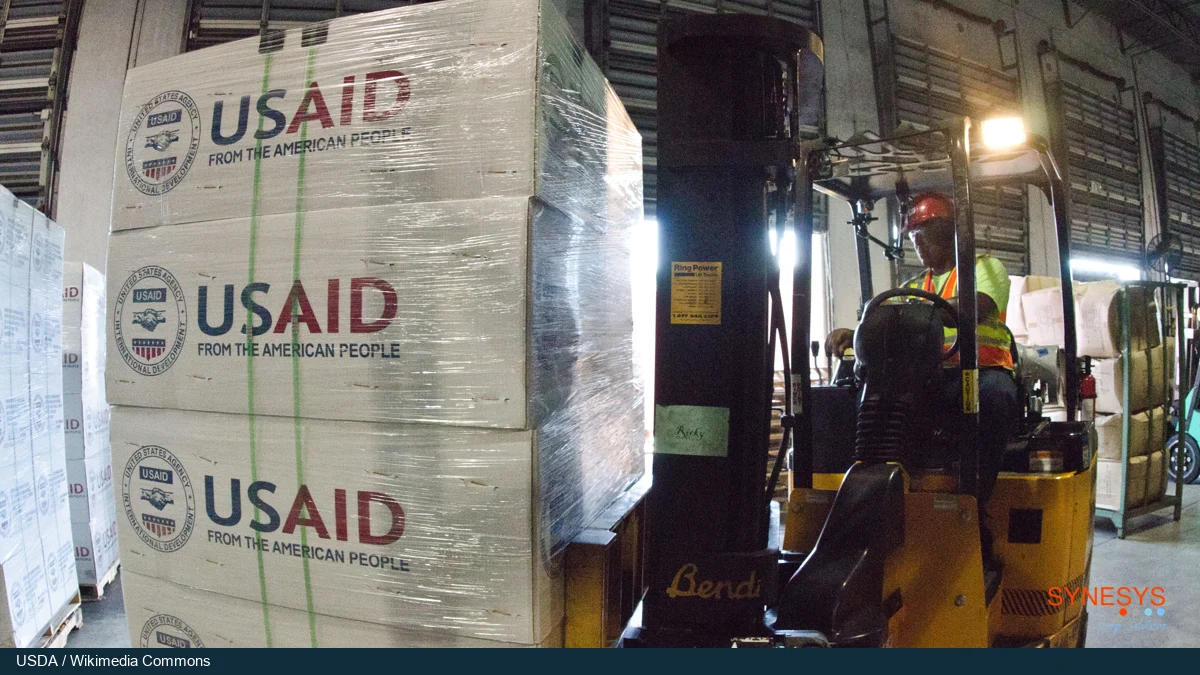
Cover photo by USDA. Cropped and branded.
Cargo collection FAQs
Who confirms that cargo is ready for collection?
Have the loading team confirm the packed count and the person responsible for the slot confirm that loading equipment and staff will be available. Record the names and time of confirmation.
Can the truck leave with eight of ten pallets?
Confirm that the receiver can accept eight, that the carrier can handle the revised load, and that the customer approves the extra trip or later release of the outstanding two.
What if the packed dimensions or weights change?
Give the updated measurements to the carrier and ask it to reconfirm equipment fit. Update the release instruction and tell the driver which version to use.