
On this page
When a truck is waiting to load, confirm the next decision time with the site and tell the receiver what may change. Start the record at arrival so the dispatcher can assess the delay and explain any charge later.
Record four times
Keep the booked slot, arrival at the correct gate, permission to enter and loading completion. Record who supplied each time. If a driver reaches the street before the booked slot, keep that fact separate from the time the agreement treats as chargeable.
Example: a queue changes the delivery plan
A truck arrives for an 08:00 slot. At 08:25 the site estimates it can load at 10:30. The dispatcher confirms how long loading usually takes, checks the receiver’s latest unloading time and asks when the site can give a firm update. The receiver can accept the load later that afternoon if told by 09:30. The dispatcher sets 09:15 as the next check and gives the receiver an ETA range.
Keep the commercial decision with the job
If waiting may be chargeable, confirm the allowance and approval route in the agreed terms. Keep the site update, times and approval under the same job reference. After delivery, check whether the delay came from the booking, access instructions or the site’s capacity. Use that finding to improve the next brief.
Further reading Kweli Corridor Network’s related freight guide.
Related Synesys guide What to do when a truck will miss its delivery slot.
Truck is waiting to load checklist
Record arrival and check-in separately. Confirm whether cargo, paperwork or loading equipment is holding the truck and ask the site for a revised release estimate.
Worked example
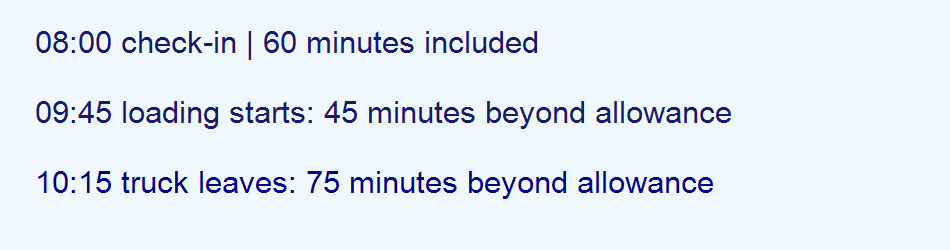
The truck checks in at 08:00 with 60 minutes included. Loading starts at 09:45 and the vehicle leaves at 10:15. If the contract measures check-in to release, the evidence supports 75 minutes beyond free time, subject to approval. If the same agreement stops the clock when loading starts, the chargeable time is 45 minutes instead. Ask the carrier and shipper to confirm which events the terms use, then attach the time record to any approved charge.
When designing shared job records, capture what happened, the time and location, and the business context. See the GS1 EPCIS visibility standard.
If the site has no credible loading estimate, ask dispatch to compare the driver’s remaining availability and the receiving cutoff before deciding to wait. Keep the site’s update and any approval for extra waiting together with the dispatch record.
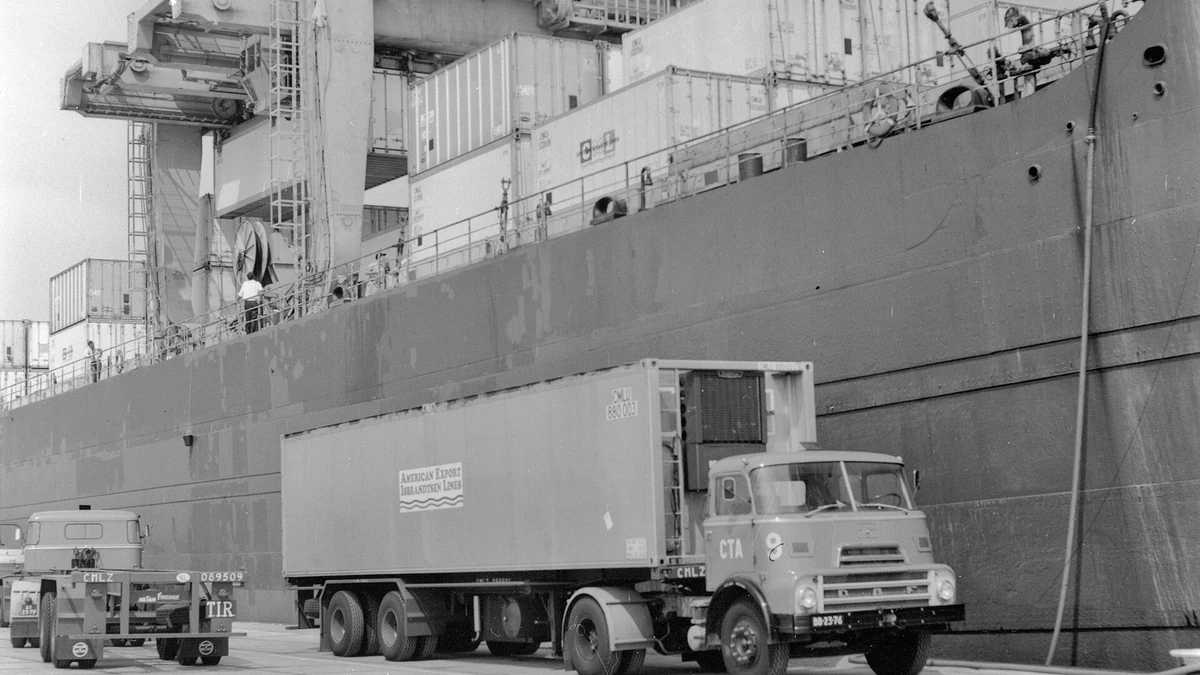
Cover photograph. Independent archival illustration: Westhaven, Amsterdam, the Netherlands; June 1967. Black-and-white view of container trucks working beside a cargo ship. Photograph by Nederlandse Spoorwegen under CC0. Cropped and resized; no added text or logos.
“An EPCIS event records what was involved in a business process step, when the event took place, where it took place”
GS1 guidance on visibility events
Keep the gate arrival, loading start and release under the same job and site reference. Record the source of each timestamp so a reviewer can tell a driver estimate from a site confirmation.
Loading delay FAQs
What should dispatch record while a truck is waiting to load?
Record the booked slot, gate arrival, check-in, loading start and release where available. Add the reported cause, who confirmed it and the next decision time.
When should I notify the receiver?
Update the receiver when the revised arrival range puts the booked unloading slot at risk. Ask for the latest time it can still unload.
How do I calculate chargeable waiting?
Use the start and end events, included allowance and billing increments in the accepted terms. Keep the timestamps and required approval with the job.